Overview
This application allows the user to view tenant history based on transactions for a specific tenant as well as a specific building.
Function
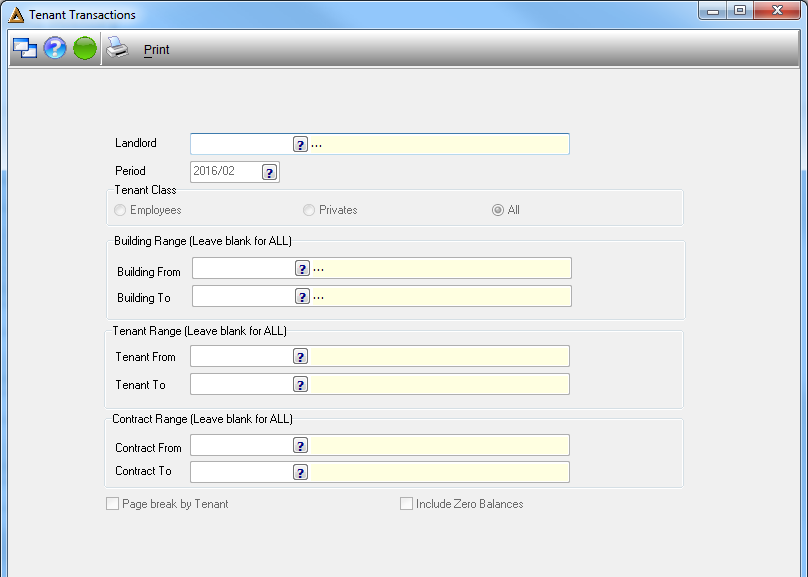
•Landlord - select the name of the landlord by clicking on the picker.
•Period - select the financial period of the transaction by clicking on the picker and selecting the date from the provided calendar.
•Tenant Class - select the type of tenant, Employees, Privates or All.
•Building - select the name of the building by clicking on the picker.
•Tenant - select the name of the tenant by clicking on the picker.
•Contract Range - select the debtors name or alternatively leave blank in order to select all.
•Page Break By Tenant - select this option if you wish to have the page break by tenant.
•Include Zero Balance - select this option if you would like to include all the zero balances.
Click on  in order to generate the report.
