Overview
This application allows the user to generate a rent roll report based on the status of the selected area, building and unit.
Function
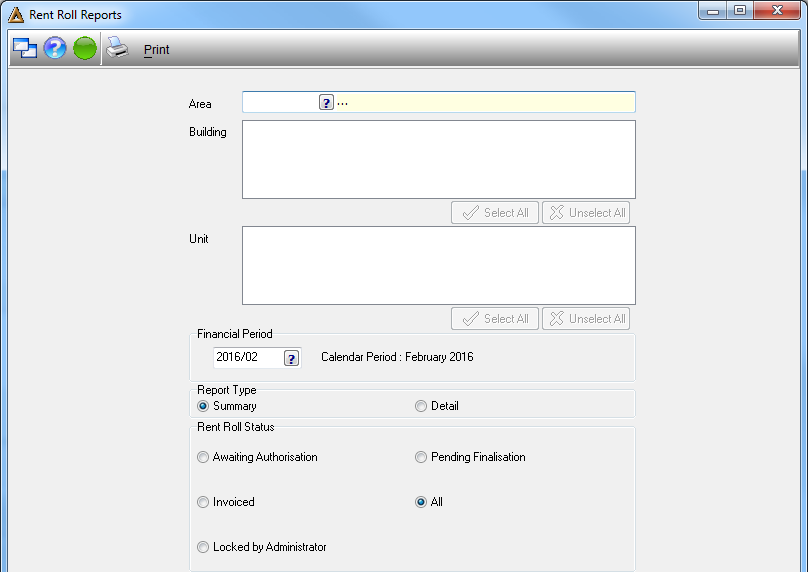
•Area - select the name of the area by clicking on the picker.
•Building - select the name of the building or alternatively select all buildings.
•Unit - select the unit name or alternatively select all units.
•Financial period - select the year and month by clicking on the picker.
•Report type - select whether you would like to generate a detailed report or a summarized report.
•Rent roll status - select the status of the rent roll, by selecting one of the options available or select 'All' to select all options.
Click on  in order to generate the report.
