Overview
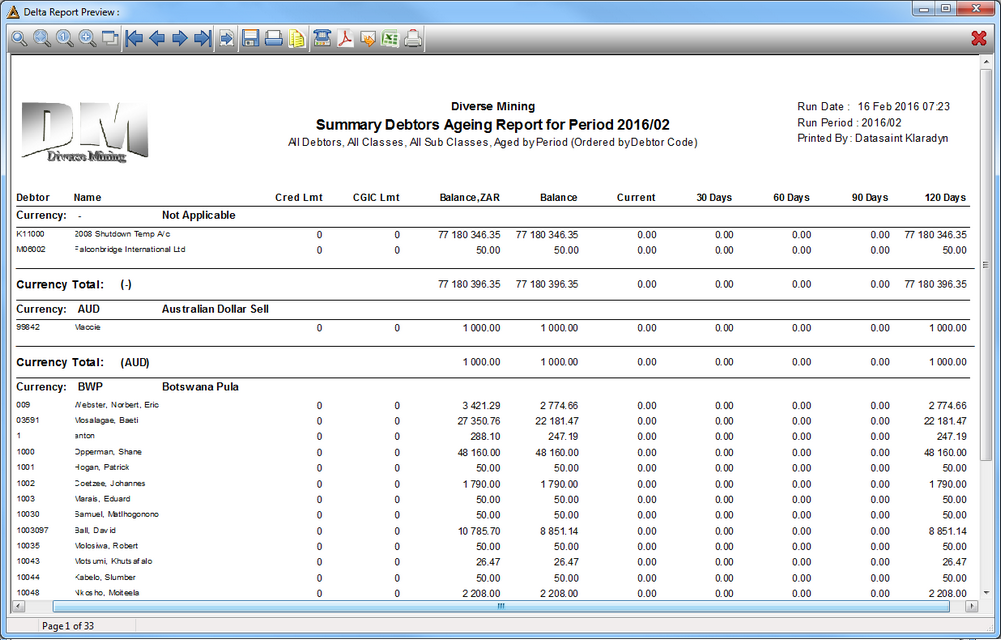
This application allows the user to generate a report on debtor balances, aged either by transaction date or accounting period.
Function
Generate the Report

Select the following information to generate the report:
•Period - select the financial period using the picker.
•Ageing days- select the number of ageing days.
•Building- select the name of the building.
•Debtor Range - select the debtor range using the pickers.
•Class Range - select the class range by selecting the box/es.
•Sub Class Range - select the sub class range by selecting the box/es.
•Report - select the type of report to generate; detail or summary.
•Ageing Method - select the method for the report to generate.
•Order By - select the report order option.
•Report options - check the selection boxes of the extra criteria:
oInclude Zero Balances
oUse Page Breaks
oInclude Allocated
oSummarize by invoice
oInclude history
oEPR/Travel Claim Only
Select the  button to generate the report.
Detail

Summary