Overview
This application allows the user to generate a report based on building contracts, the area of the building and whether the building is occupied or vacated.
Function
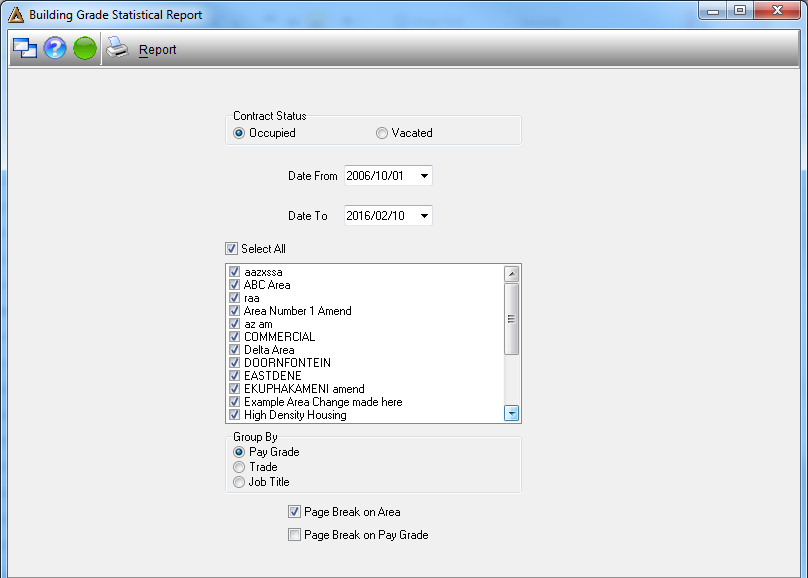
•Contract Status - select whether the building is occupied or vacated.
•Date From - select from when the building is occupied or vacated.
•Date To - select to when the building is occupied or vacated.
•Select the area of the building or 'Select All' in order to select all areas.
•Group By - select how you would like the report to be grouped. Pay grade, Trade or Job title.
•Select whether you would like to have a page break on Area or a page break on Pay grade.
Click on  in order to generate the report.
